Prescription drug plan (PDP) companies have removed independent agents from the PDP plan signup process. We used to earn a small renewal fee for assisting our clients, but this is sadly no more.
You can still submit a list of your prescriptions to us on PDPHelper.com. However, if you are at least a little bit technically savvy, we encourage you to follow this guide to shop for a PDP plan on your own using Medicare.gov’s drug plan finder.
Step 1:

Click on the image above or navigate to www.medicare.gov/plan-compare
Step 2:
You can use Medicare.gov’s drug plan finder without having to sign up for your own My Medicare account. For this tutorial, we are going to be using the no-account lookup process.
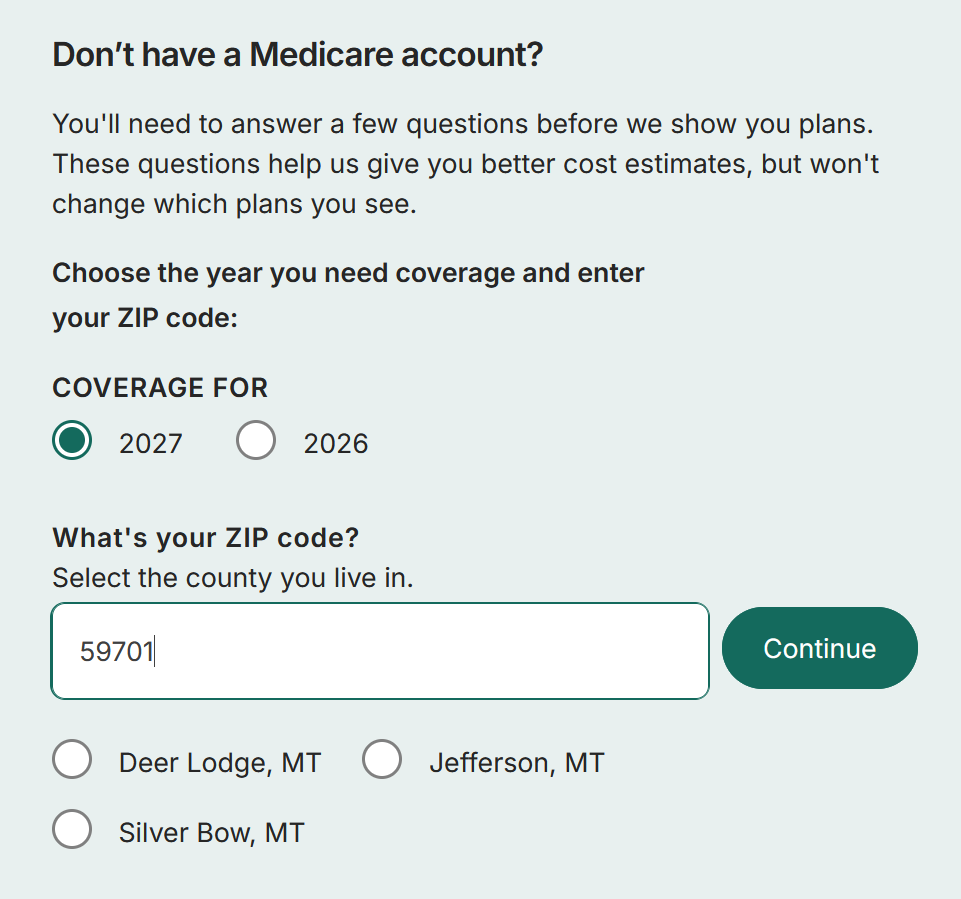
We are doing a search for 2027 calendar year plans.
Enter your zip code and then hit continue. Note: If you live in a zip code that spans multiple counties, you will also need to select your county.
Step 3:
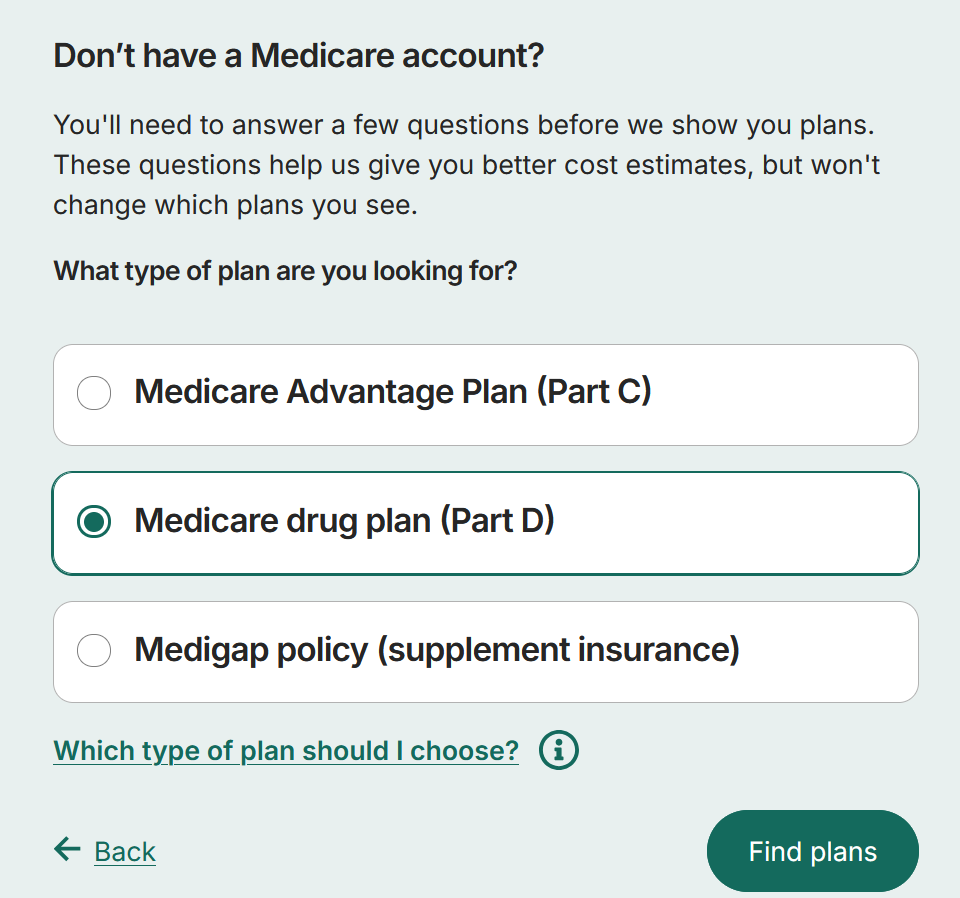
Next, you will be asked “What type of plan you are looking for?”. In this case we are shopping for a “Medicare drug plan (Part D)”. Select that option and then tap/click on the Find plans button.
Step 4:
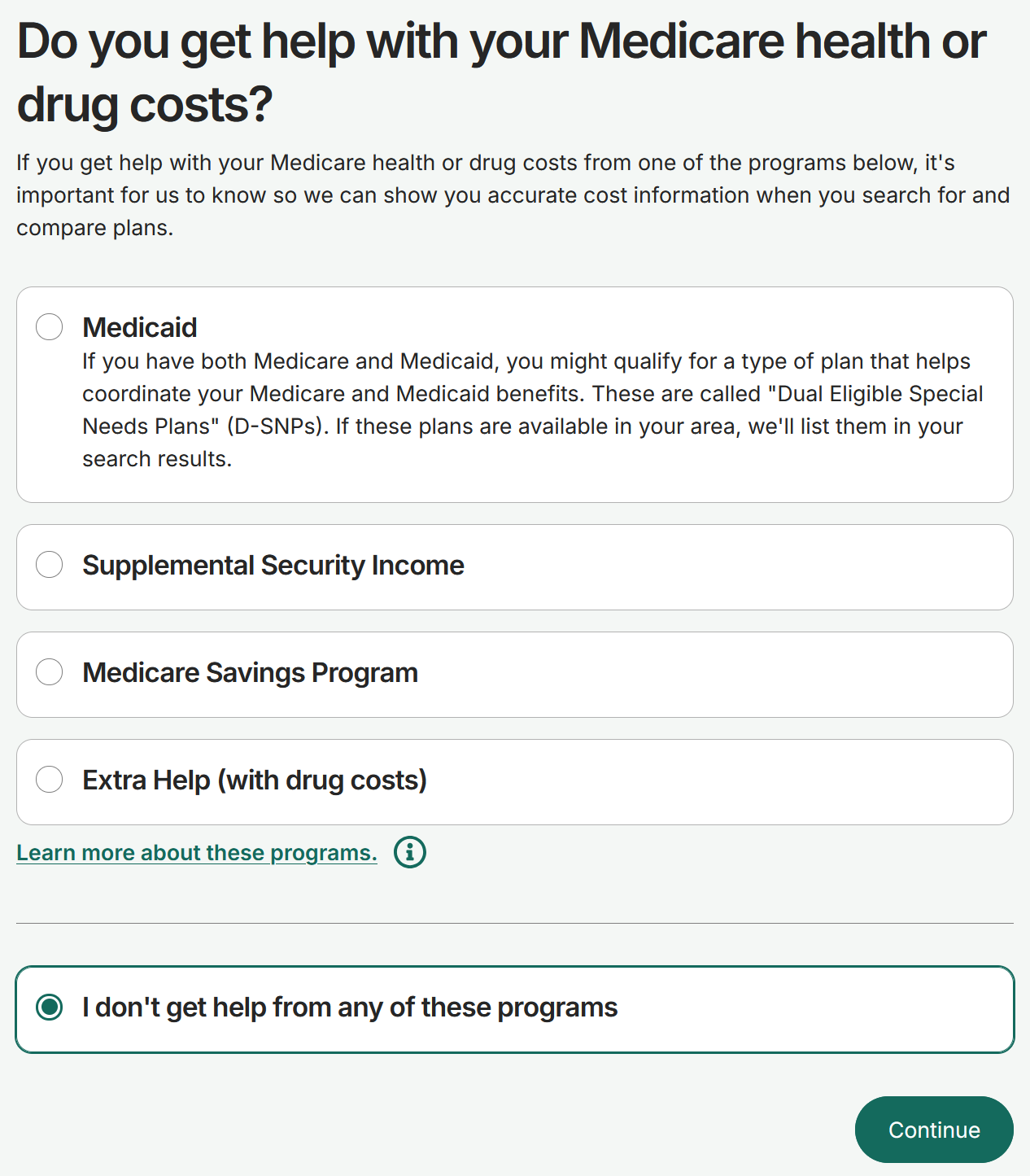
On the following page you will be asked if you get help with your Medicare health or drug costs. If none of these apply, select “I don’t get help from any of these programs” and then Continue.
Step 5:
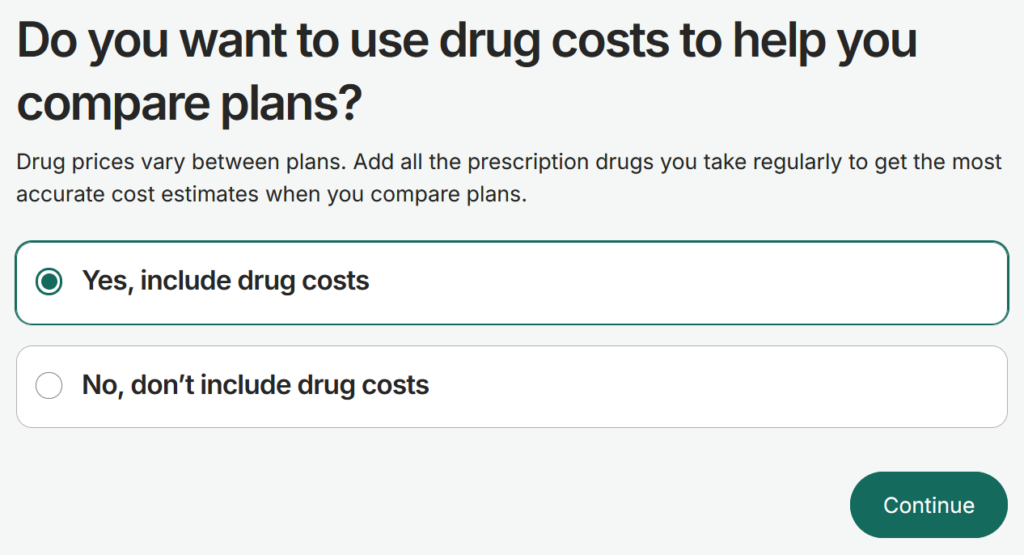
Unless you are taking no prescriptions, select, “Yes, include drug costs” and then hit Continue.
Step 6:
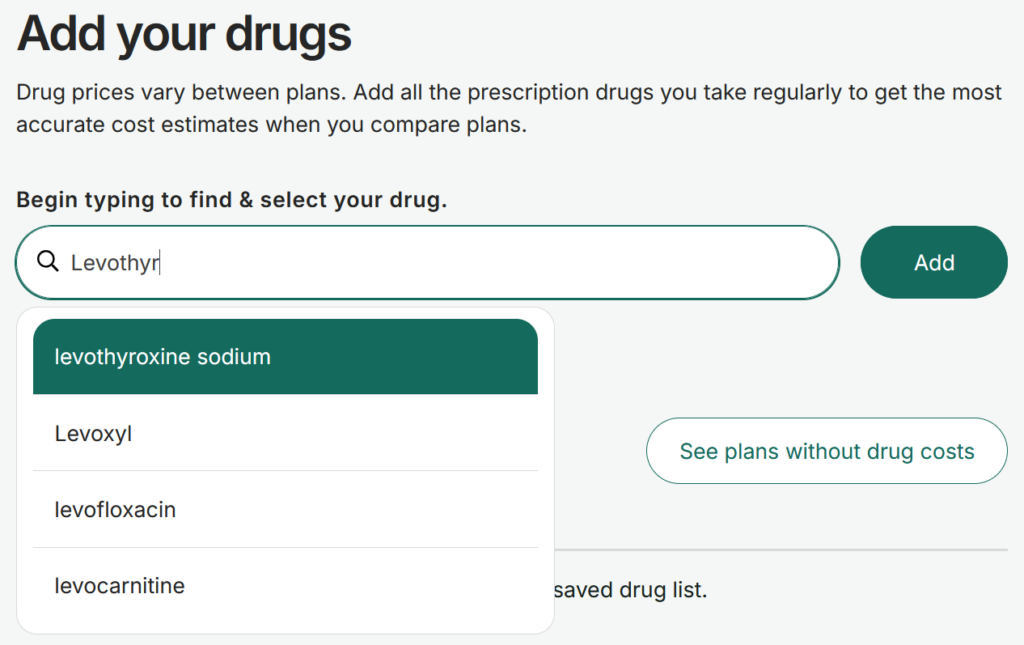
Next, we are going to create a list of the prescriptions that you are taking on Medicare.gov’s website.
As you type in the name of the drug, the website will provide suggestions based on what you are typing in. When you see what you are looking for, you can select the correct one and then tap/click on the “Add” button.
Important Note: Pharmacies frequently abbreviate the name of longer drug names on the labels. Levothyroxine might be L-thyroxine. Hydrochlorothiazide is commonly abbreviated HCTZ.
The drug search on Medicare.gov likely won’t recognize the abbreviated names. If you are unsure of the correct spelling, we recommend plugging the name you have into a search engine (like Google). This usually results in the correct, full spelling surfacing at the top of the results list.
Step 7:
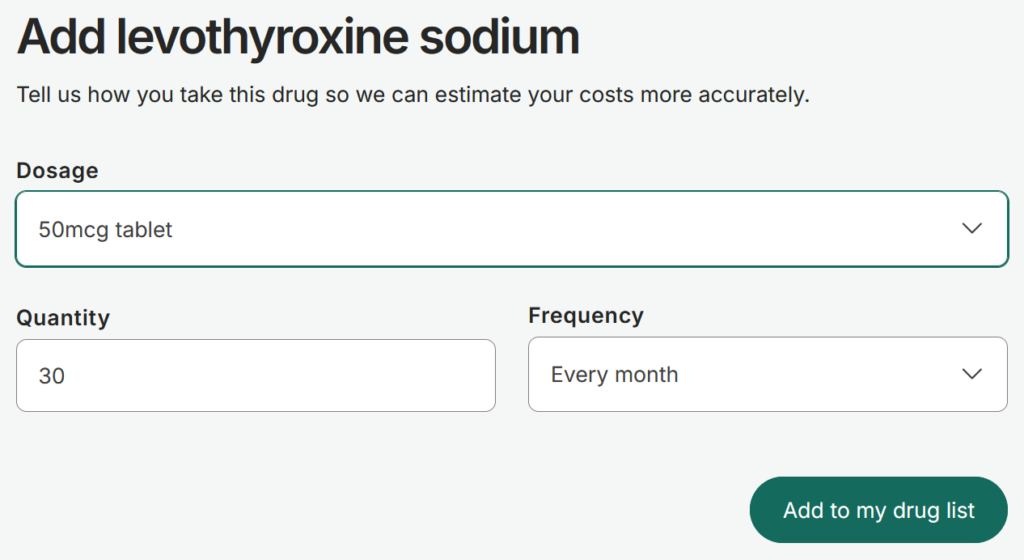
You will then need to select your Dosage, Quantity and Frequency. Once that’s done, select “Add to my drug list”.
Important Notes:
1. Even if you purchase your prescriptions through mail order, or split pills, it is generally best to enter in the approximate quantity you use per month.
Common exceptions: An inhaler that is only refilled once every three months or year.
2. Avoid using the “Every two months” frequency option unless there is a very good reason. If you split pills, it’s better to say that you use quantity 15 per month. Entering quantity 30 every two months can cause unexpected results.
3. There are a few drugs that are available in both capsule and tablet form. It’s important to select the correct variant as selecting the wrong one can lead to inaccurate results.
4. If you take a prescription on an “as needed basis”, then approximate your usage as best you can. You are entering your prescriptions here to run an estimate; it doesn’t need to be exact.
5. Inhalers and similar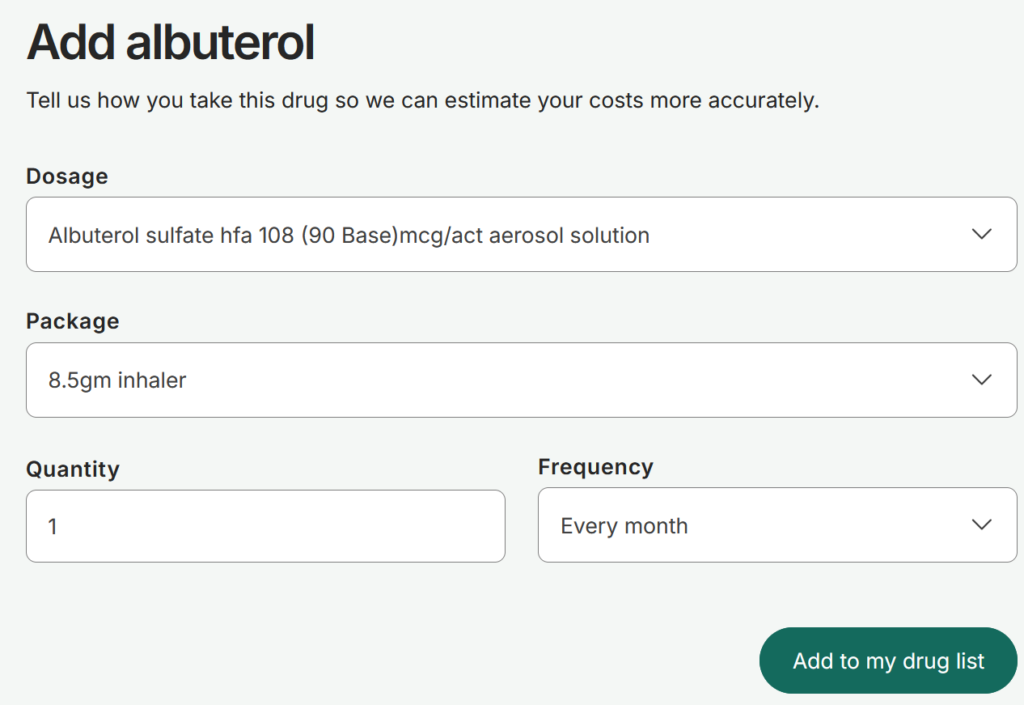
Sometimes there are multiple dosage options with the same name that yield different package size options. Put another way, if you can’t find the correct package size, try selecting a different dosage entry.
In the above example with albuterol, there are three dosage entries with same name of: “Albuterol sulfate hfa 108 (90 Base)mcg/act aerosol solution”. Each entry yields a different package size option of either an 18gm, 8.5gm or 6.7gm inhaler.
Step 8:
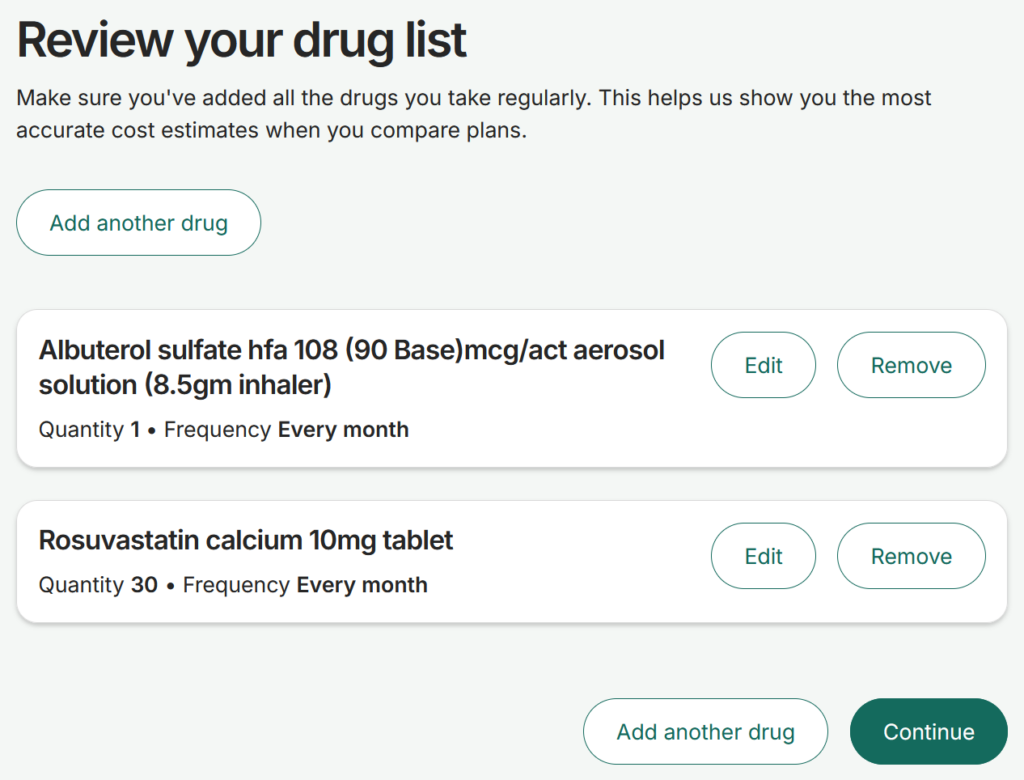
Continue adding drugs by clicking/tapping on the “Add another drug” button. This will repeat Steps 6 and 7. Once you have all of your prescriptions entered, select the “Continue” button.
Step 9.
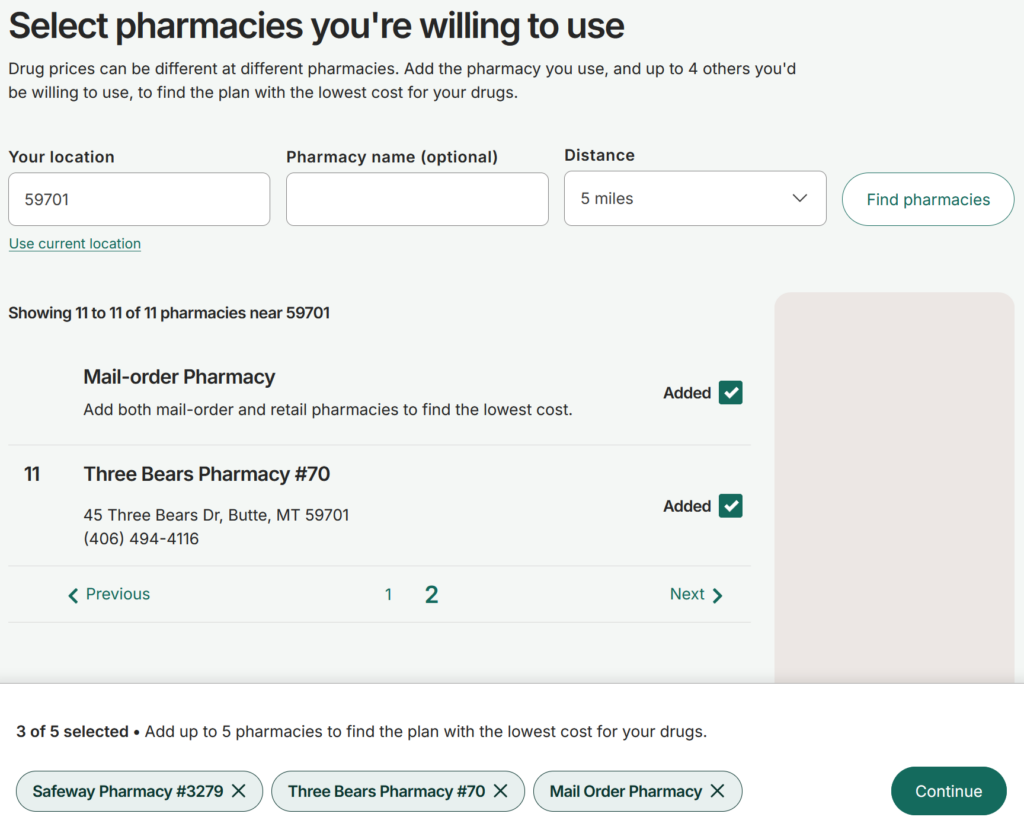
On this page you will be prompted to select your preferred pharmacies. If your preferred pharmacy isn’t on the list, it may be necessary to expand your search by changing the distance filter from 5 miles to a larger option.
If you are on a mobile device, the extra options will be hidden behind a button called Filters.
Note: Selecting multiple pharmacy options at this step will allow you to see if another pharmacy will offer you any significant cost savings. We recommend selecting at least two retail pharmacies (if available) and the Mail-order Pharmacy option. Sometimes different pharmacies will have significantly different co-pays for your drugs.
Step 10:
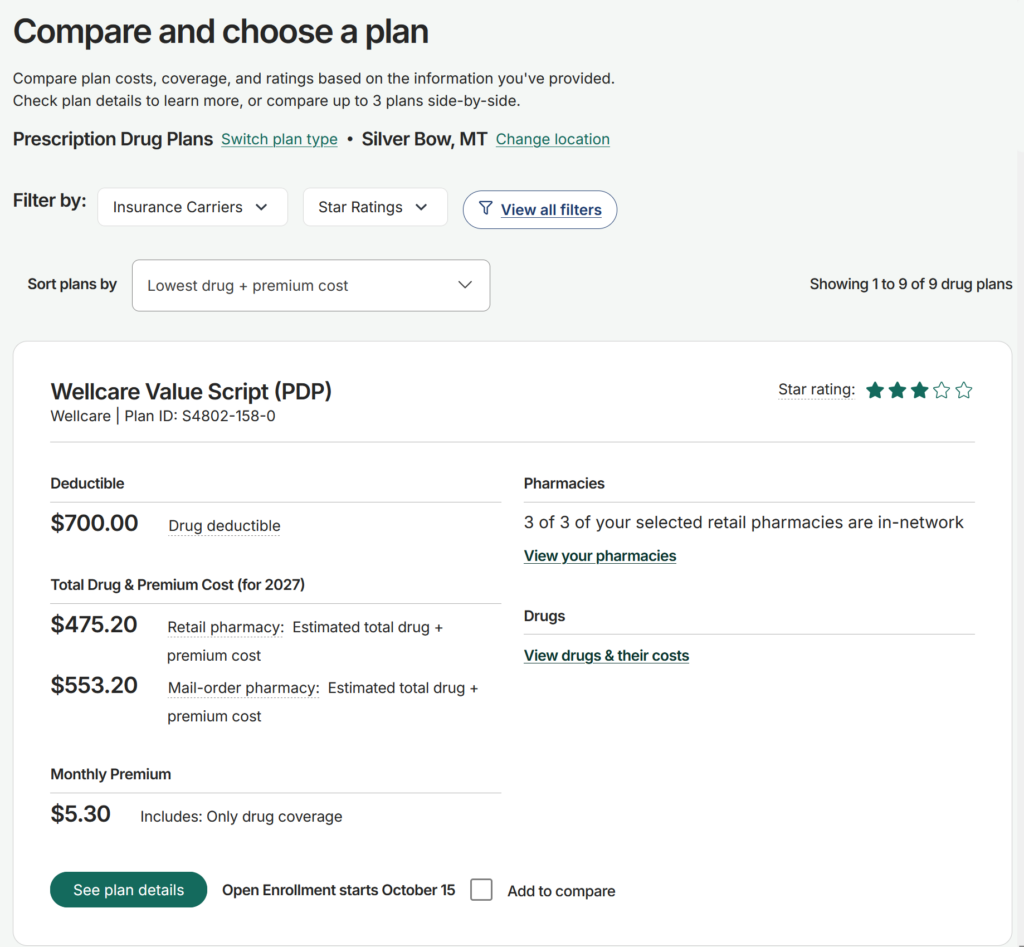
Congratulations! You are now on the “Compare and choose a plan” page. This is the page that will allow you to see and compare prescription drug plan choices in your service area. In this specific example, the Wellcare Value Script (PDP) for plan year 2027 is the choice that offers the lowest spend for 2027.
Disclaimer: This is not an endorsement for (or against) the Wellcare Value Script PDP plan. Your individual results and/or needs may vary.
During the October 15th to December 7th Annual Election Period, a.k.a. Medicare Open Enrollment, you will be able to enroll in a prescription drug plan for the following calendar year.
Step 11: Pharmacy Shopping
In Step 9 there is note explaining the importance of selecting multiple pharmacies. Here’s why this can make a big difference.
Selecting multiple pharmacy options at this step will allow you to see if another pharmacy will offer you any significant cost savings. We recommend selecting at least two retail pharmacies (if available) and the Mail-order Pharmacy option. Sometimes different pharmacies will have significantly different co-pays for your drugs.
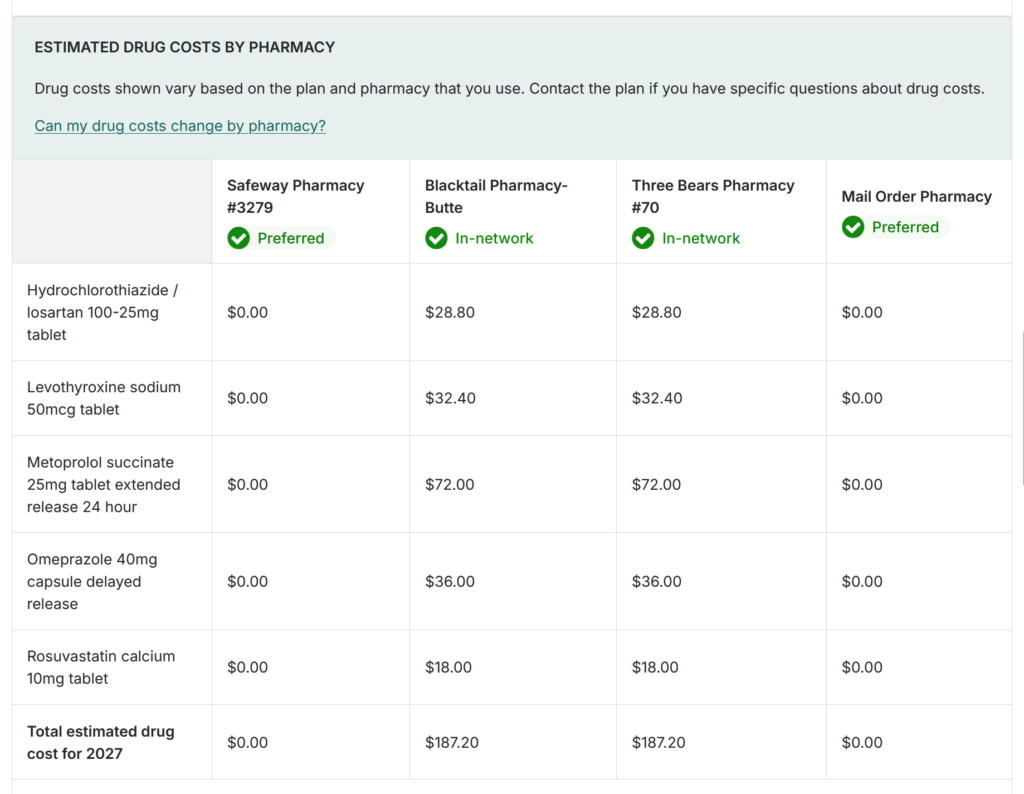
From the previous step, we are now on the “See plan details” page for the Wellcare Value Script PDP plan. Also note that the Albuterol inhaler has been removed in this screen shot. More on that in a moment.
In the above screenshot, we can see that using a pharmacy that is on Wellcare’s preferred pharmacy network results in saving* $187 in co-pays over the course of the calendar year. *Compared to a non-preferred in-network pharmacy.
However, the results are also sometimes inconclusive:
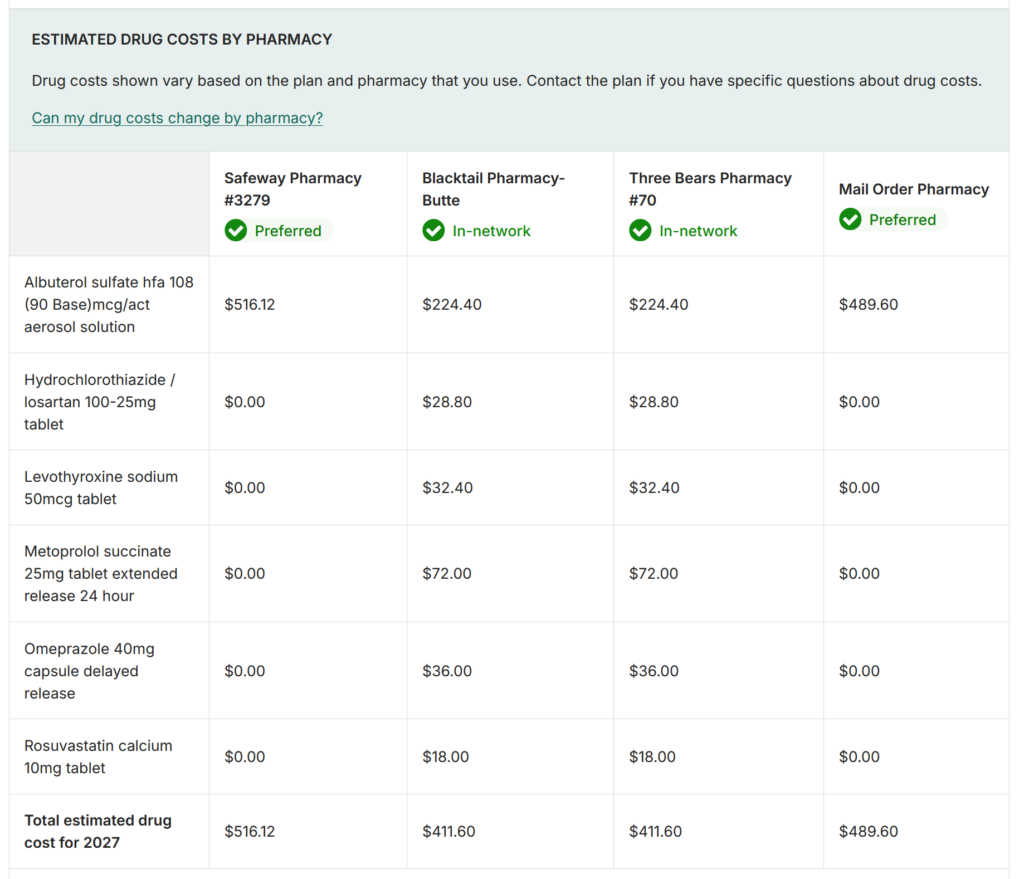
If we add Albuterol back to the list, the results flip-flop. Oddly, Medicare.gov shows the Albuterol inhaler as substantially less expensive when purchased from the non-preferred pharmacies.
The takeaway here should be that it can be worth further exploring multiple options if they are available to you.
Disclaimer: Again, this is not an endorsement for (or against) the Wellcare Value Script PDP plan. Your individual results and/or needs may vary. We have been using this plan as an example only because it offers the lowest annual spend with the six prescription drugs chosen for this tutorial.
This concludes the Medicare PDP Lookup Tutorial.